The link below will open the 360° video tour on YouTube. For the best experience:
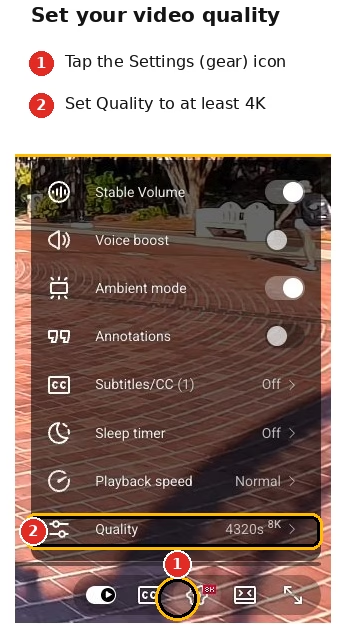
Increase the video quality in the YouTube video player settings as high as possible (see image on right).
Give the video a moment to load, especially at higher resolutions. Because 360° video files are huge, the video may look blurry at first if YouTube defaults to a lower resolution. If you have a slow internet connection, you may experience buffering when viewing in high quality.
Make sure to ‘look around’ the 360° video using your mouse, finger, or phone movement.