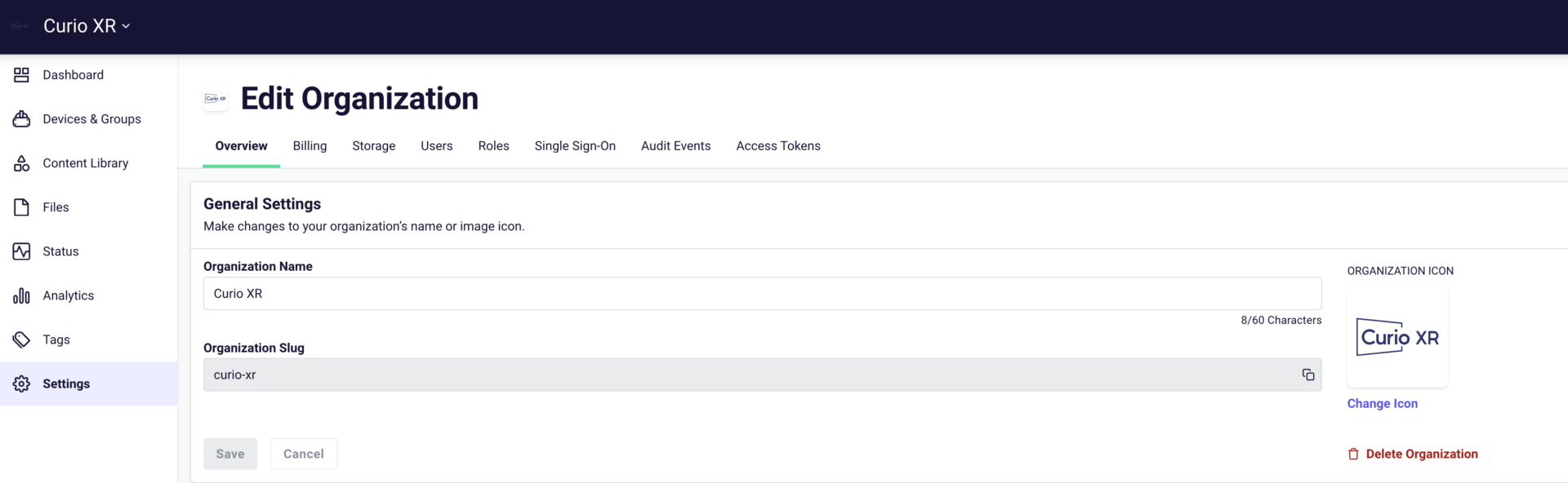
To find your Organization Slug, go to your ArborXR account, select Settings, and then copy the Organization Slug field. It is case sensitive, so please make sure to include the exact text, and ArborXR has made this easy with a Copy Text button to the right of the field.
Email this information to mdm@CurioXR.org, and we’ll add it within 24 hours.
Curio Discount: For a 5% discount on ArborXR’s educational rate, email mdm@CurioXR.org.
The link below will open the 360° video tour on YouTube. For the best experience:
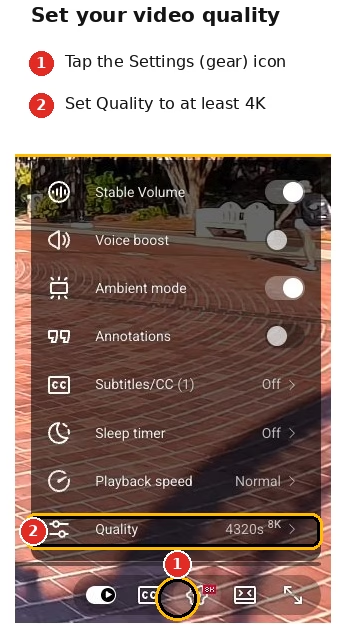
Increase the video quality in the YouTube video player settings as high as possible (see image on right).
Give the video a moment to load, especially at higher resolutions. Because 360° video files are huge, the video may look blurry at first if YouTube defaults to a lower resolution. If you have a slow internet connection, you may experience buffering when viewing in high quality.
Make sure to ‘look around’ the 360° video using your mouse, finger, or phone movement.